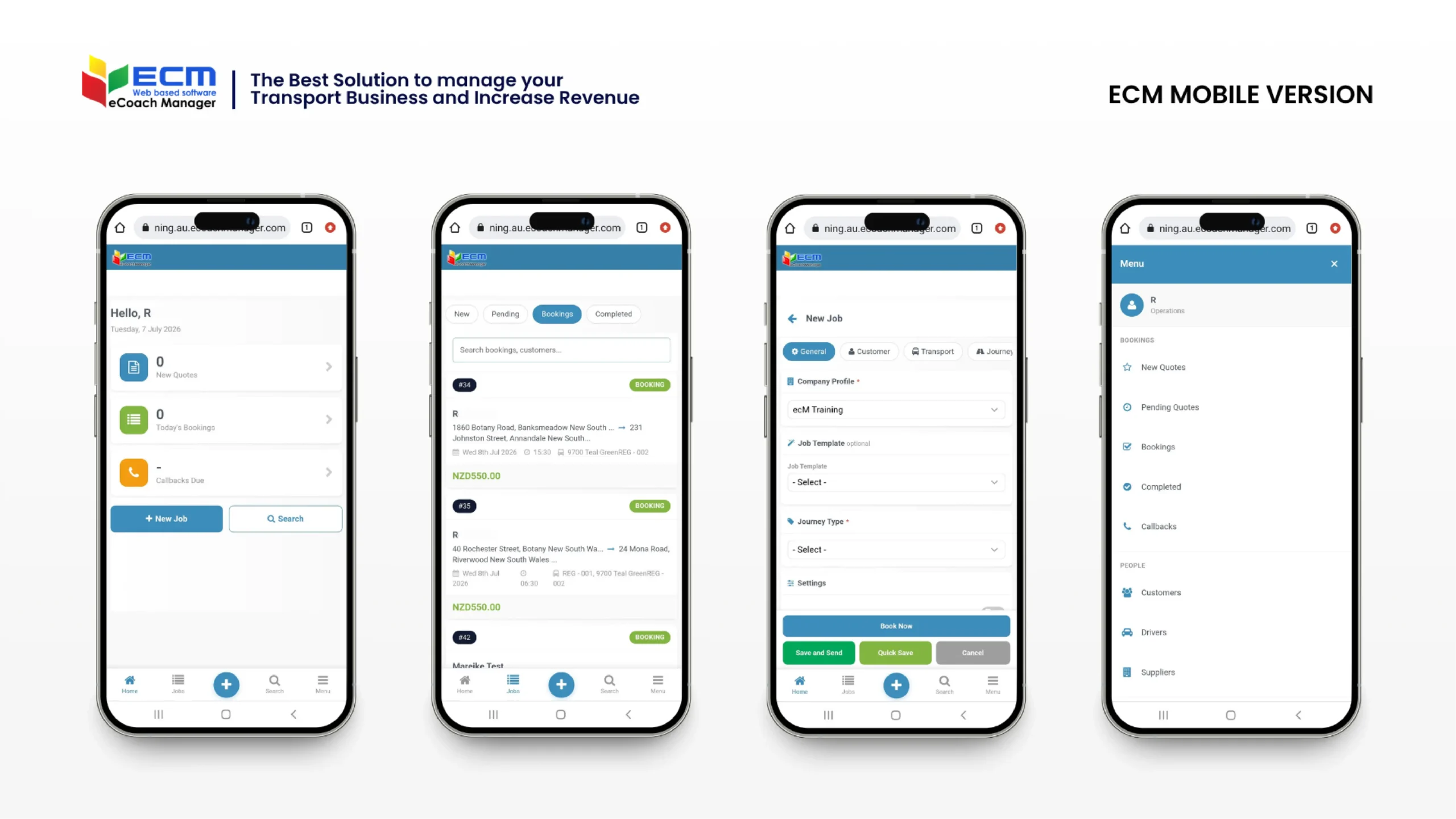
If you’re still tied to your desk to quote a job, chase a booking, or check on a driver, it’s time for an upgrade. The eCM Mobile Version brings the full power of eCoachManager to your phone or tablet, giving you the tools to manage quotes, bookings, drivers, and reports wherever your day takes you.
Whether you’re on the yard, meeting a client, or simply away from the office, eCM Mobile keeps your entire operation in your pocket. Here’s a closer look at what you can do.
A Home Page That Keeps You in the Loop
From the moment you log in, the Home page gives you a snapshot of everything that matters right now — New Quotes, Today’s Confirmed Bookings, and Callbacks are all front and centre. Need to create a new booking on the spot? The New Job button is right there. Looking for a quote or job you already started? Search it up in seconds. And getting around the app is simple, thanks to a bottom menu covering Home, Jobs, Reports, and More.
Manage Sales On the Go with the Jobs Page
The Jobs (Sales) screen is your mobile sales hub. Create new jobs, search existing quotes or bookings, update details, and keep an eye on how your sales pipeline is progressing — all without needing to be back at your desk.
Send Quotes Instantly
Waiting to get back to the office to send a quote can cost you the sale. With the Send Quote feature, you can review the details and email a quotation straight to your customer from wherever you are. Faster responses mean happier customers and more bookings won.
See the Full Picture with View Job
Need the complete story on a booking? The View Job screen brings together everything in one place — Customer Details, Transport, Journey, Allocation, and more — so you’re never left guessing.
All Your Bookings, One Screen
The Bookings page gives you a full view of every booking in the system. Search, view, and manage booking details on the fly, so nothing slips through the cracks while you’re out and about.
Keep Pending Quotes Moving
Quotes waiting on a customer decision are tracked in the Pending Quotes page. View, search, and manage them directly from your phone, making it easy to follow up at exactly the right moment and keep deals moving forward.
Edit Jobs Without Missing a Beat
Plans change, and now your mobile device can keep up. The Edit Job screen lets you update Customer Details, Transport, Journey, Pricing, and Allocation information directly from the field — no more waiting until you’re back at a computer to make a change.
Allocate Drivers and Vehicles in Seconds
Need to swap a driver or vehicle at the last minute? The Allocate/Unallocate Driver and Vehicle screen lets you assign or update resources for a booking instantly, helping you keep jobs correctly staffed and equipped even when things change quickly.
Manage Your Drivers, Wherever You Are
The Manage Drivers screen puts your driver records at your fingertips. Search for drivers, review their details, and update information on the go — ideal for busy operations teams who need accurate driver data without being chained to the office.
Bill Faster with Private Hire Invoices
Cash flow matters, and the Send Private Hire Invoice feature helps you get paid faster. Review invoice details and send them straight to the customer from your mobile device, keeping billing moving even when you’re away from base.
Never Miss a Callback
Follow-ups can make or break a sale. The Callback page shows every scheduled customer callback, letting you view, search, and manage them so that timely communication is always front of your mind.
Reports That Travel With You
Staying informed shouldn’t require being at your desk. The Standard Reports section brings your key operational reports — including Customer Reports, Account Customer Reports, Driver Reports, Vehicle Reports, and Booking & Operations Reports — straight to your mobile device, so you can monitor performance and keep tabs on the business wherever you are.
Your Business, In Your Pocket
The eCM Mobile Version isn’t just a smaller version of your desktop software — it’s a genuine extension of your operation, built for the reality of running a coach business: constantly moving, constantly responding, constantly juggling priorities.
From the first quote to the final invoice, eCM Mobile gives you the tools to manage bookings, allocate resources, and stay on top of reporting, all from your phone or tablet.
Ready to see it in action? Visit ecoachmanager.com to learn more about getting started with eCM Mobile.