
Running a successful transport business means more than moving passengers from A to B. On any given day, your sales team is fielding enquiries, chasing quotes, following up on callbacks, and trying to remember who said what on last Friday’s call. When those conversations live in personal notebooks, email inboxes, and the memories of individual staff members, leads get lost, proposals go unsent, and opportunities quietly disappear. At eCoachManager, we believe your transport management system should do more than dispatch coaches – it should actively help you win more business. That is why we are proud to introduce the fully integrated ECM CRM: your sales team’s new command
centre, built right into the platform you already use every day.
What Is the ECM CRM?
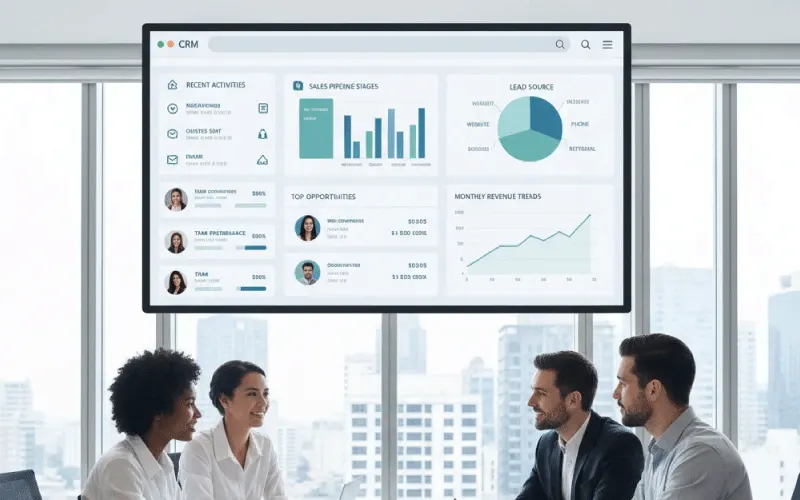
The ECM CRM is a complete Customer Relationship Management module built natively inside eCoachManager – no third-party integrations, no separate logins, no extra cost. It gives your team a single, shared workspace for managing every contact, every deal, and every conversation – from the first enquiry call through to a confirmed booking. The Dashboard surfaces what matters most the moment you log in, and a full pipeline view keeps every opportunity visible so nothing falls between the cracks.
Key Features Built for Your Sales Workflow
A Single Source of Truth for Every Contact
CRM > Contacts is where every customer, account, and supplier lives. Search by name, filter by tags like VIP, School, or Repeat Customer, and open any contact to see their full Activity Timeline – every call, note, and scheduled callback, logged in one place.
After every meaningful interaction, your team can add a short note and schedule a follow-up callback. Overdue callbacks surface automatically on the Dashboard, so tasks are never forgotten and managers can see exactly what is happening across the team.
A Visual Pipeline That Keeps Every Deal Moving
CRM > Pipeline shows your deals in a Kanban board across seven clear stages:
- New Lead (10%)
- Contacted (20%)
- Proposal Sent (40%)
- Negotiation (60%)
- Verbal Commitment (80%)
- Closed Won (100%)
- Closed Lost (0%)
Drag a card across stages and the metrics update instantly. Each stage shows a deal count and weighted pipeline value, giving sales managers an accurate forecast at a glance. Closed deals are removed from the active board but retained in full for reporting.
Branded Proposals That Win Business
CRM > Proposal Pages stores reusable content blocks – About Us, Terms and Conditions, Safety Policy, Why Choose Us – that can be dropped into any quote without retyping boilerplate.
Set up your Proposal Branding once (company name, tagline, brand colour, logo, footer, and disclaimer) and every proposal PDF carries a consistent, professional identity. Quotes are generated and sent directly from a contact or deal in just a few clicks.
AI-Powered Call Summaries
Connect your Claude or OpenAI API key in CRM > Settings and the system will automatically summarise every 3CX call transcript the moment a call ends. Key details – vehicle type, passenger count, luggage requirements, pickup and destination, dates, and action items – are extracted and added to the contact’s Activity Timeline so nothing from the conversation is ever lost.
Team Performance Reports
CRM > Reports gives managers a clear view of team activity and pipeline health, filterable by period, group, or individual. The Activity tab shows contact logs, callbacks scheduled and completed, notes added, calls made, and average talk time per person. The Pipeline tab breaks down deals by stage, win rate, and weighted value so you always know where revenue is coming from – and where it is stalling.
How to Get Started Today
Getting your team up and running is straightforward. An administrator enables CRM permissions in ECM Config > User Access Levels, completes the Proposal Branding and 3CX Connection Settings, and the CRM is live – no data migration, no configuration headaches.
Start each morning on the Dashboard, work through Contacts and Pipeline during the day, send proposals as needed, and review Reports at the end of the week. The CRM is designed to fit around the way your team already works, not the other way around.
The Bottom Line: More Conversations, More Conversions
Every unanswered callback, every unsent proposal, and every lead that slips through the cracks is revenue your business will never recover. The ECM CRM closes those gaps by giving your entire sales team a shared, structured, and intelligent workspace – built into the platform they are already in every day.
The result? Fewer missed opportunities, faster response times, more professional proposals, and a sales pipeline your managers can actually trust.
Log in to your eCoachManager platform today and open the CRM to take control of your sales pipeline!
Want to see how eCoachManager can transform your transport business? Book your free custom demonstration today.
Frequently Asked Questions (FAQs)
Q: Is the CRM included in my current eCoachManager subscription?
A: Yes! The CRM is fully integrated at no extra cost. Ask your administrator to enable CRM permissions in ECM Config > User Access Levels.
Q: Can multiple salespeople use the CRM at the same time?
A: Absolutely. Each user sees their own callbacks and deals, while managers get a full team view through the Reports section, filterable by person, group, and time period.
Q: How do the AI call summaries work?
A: Add your Claude or OpenAI API key in CRM > Settings > AI Summary Settings. When a call is logged via 3CX, a summary is auto-generated with key details and appears in the contact Activity Timeline.
Q: Can I send a branded proposal directly from the CRM?
A: Yes. Set up your Proposal Branding and Proposal Pages once, then generate and send fully branded PDF quotes from any contact or deal in a few clicks.